
Last updated: February 2026
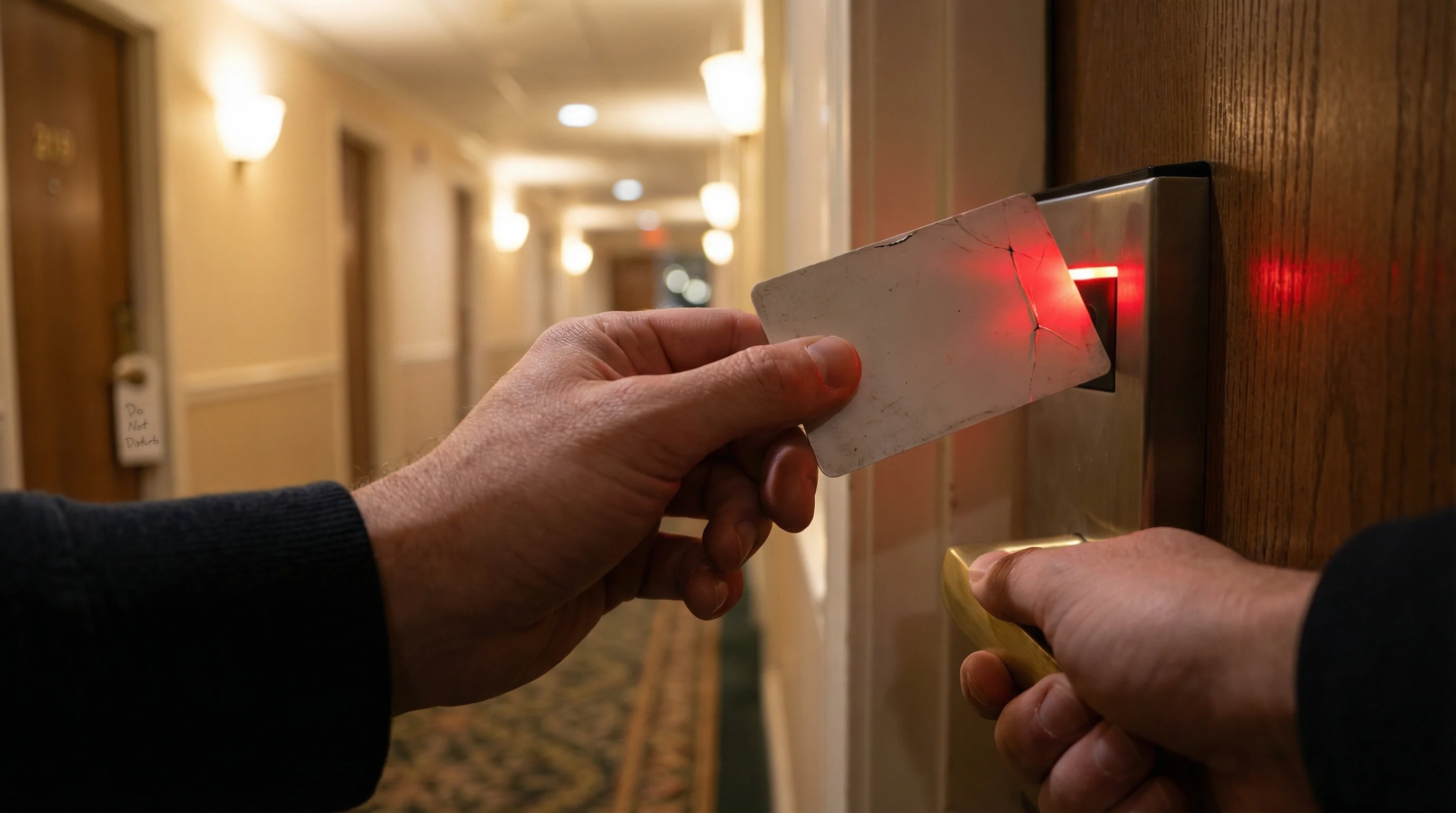
Your hotel key card stopped working and you are standing in the corridor wondering what went wrong. Industry estimates suggest it happens to roughly one in five hotel guests during their stay. Sometimes the cause is obvious -- a cracked card, a dead lock battery -- but more often the explanation involves encoding quirks, expiration timers, or technology mismatches that neither guests nor front desk staff fully understand. This guide covers every reason hotel key cards fail, what the door lock lights actually mean, how to get a fix fast, and what hotels can do to prevent the problem entirely.
How Do Hotel Key Cards Work
Hotel key cards work by storing a unique access code -- typically a room number, date range, and encrypted authentication token -- that the door lock reads and verifies before granting entry. The card itself contains no personal guest information. Three distinct technologies are in use across the global hotel industry, and the technology inside your card determines exactly how and why it can fail.
Magnetic Stripe (Magstripe) Cards
Magnetic stripe cards store data as magnetized particles on a thin stripe along the back edge of the card. The lock reads this data by pulling the card through a slot reader at a specific speed. Magstripe cards are the oldest hotel key card technology still in active use and the cheapest to produce, but they are inherently vulnerable to demagnetization from external magnetic fields. Most hotels use Low Coercivity (LoCo) stripes rated at 300 Oersted, which can be erased by common household magnets.
RFID (Radio-Frequency Identification) Cards
RFID hotel key cards store data on a silicon microchip and communicate with the lock wirelessly through a copper antenna embedded inside the card body. The guest taps or holds the card near the lock reader, and the lock powers the chip via radio frequency -- no battery inside the card, no physical contact required. Hotel RFID systems operate at either 125 kHz (older, less secure) or 13.56 MHz (modern standard, ISO 14443 compliant). RFID cards cannot be demagnetized because there is no magnetic media involved.
NFC / Mobile Key
NFC (Near Field Communication) is a subset of RFID operating at 13.56 MHz. Mobile keys use the NFC chip inside a smartphone -- via Apple Wallet, Google Wallet, or a hotel-branded app -- to emulate a physical key card. The phone communicates with a BLE (Bluetooth Low Energy) enabled door lock using the same encrypted credentials that would normally be written to a physical card. Mobile keys require compatible lock hardware and a supported smartphone, which limits adoption.
| Technology | Frequency | Read Method | Vulnerable to Magnets | Typical Cost |
|---|---|---|---|---|
| Magnetic Stripe (LoCo) | N/A (contact) | Swipe through slot | Yes -- highly vulnerable | $0.08 - $0.25 |
| RFID 125 kHz | 125 kHz | Tap / proximity | No | $0.15 - $0.30 |
| RFID 13.56 MHz | 13.56 MHz | Tap / proximity (ISO 14443) | No | $0.25 - $0.50 |
| NFC Mobile Key | 13.56 MHz + BLE | Phone held near lock | No | No card cost (lock upgrade required) |
For a deeper look at the security differences between these technologies, see our guide on RFID vs magstripe hotel key card security.
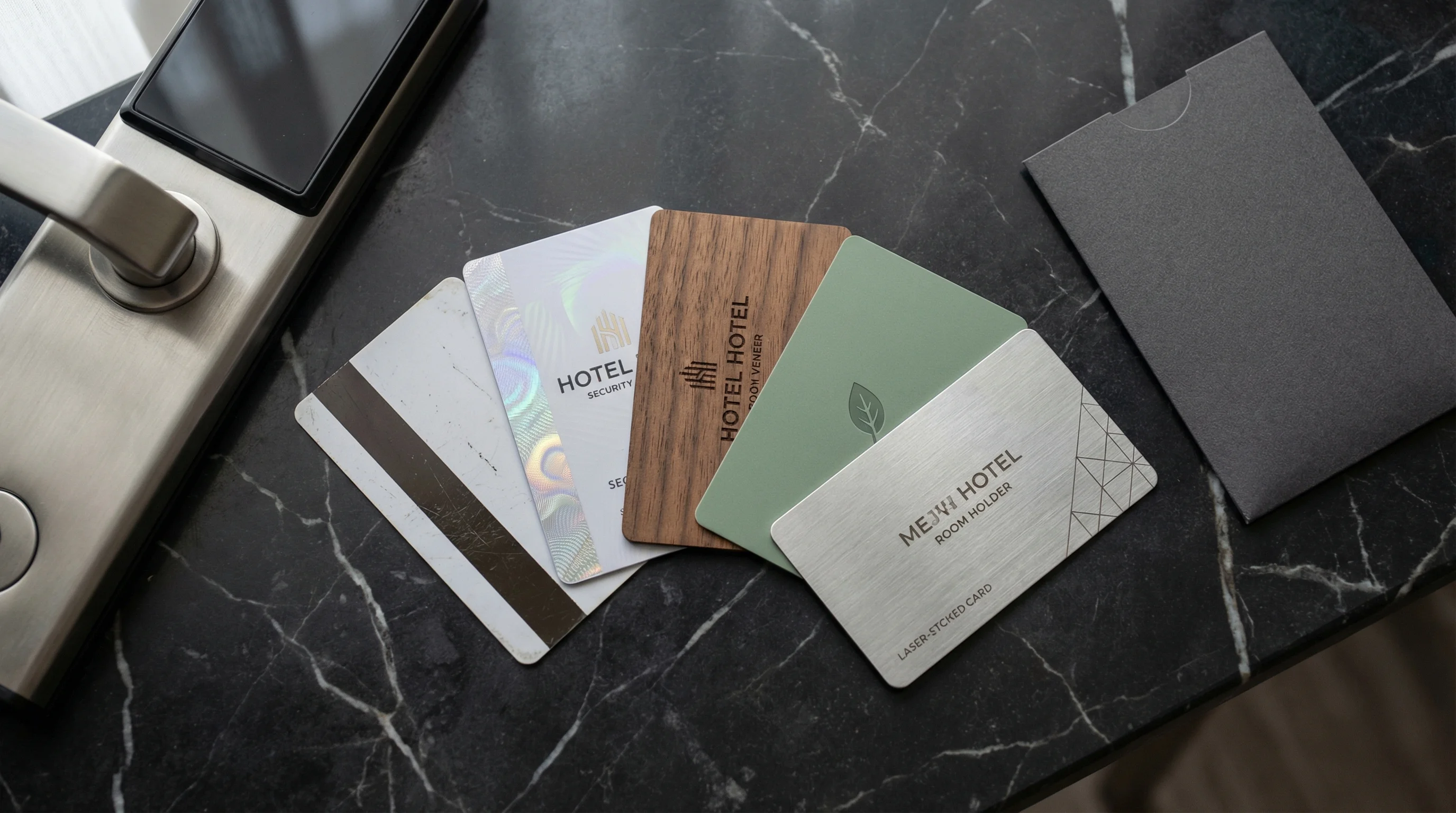
Hotel key card types from left to right: magstripe, holographic RFID, wooden veneer, eco-friendly bio-PVC, and laser-etched metal
Why Hotel Key Cards Stop Working: The 7 Most Common Causes
Hotel key cards stop working due to a combination of technology limitations, environmental factors, and human error. The most frequent cause is not demagnetization from your phone -- it is time-based expiration, encoding mistakes, and worn card stock. Here are the seven causes ranked by real-world frequency.
1. Magnetic Interference (Magstripe Only)
Magnetic wallet clasps, money clips, purse snaps, and MagSafe devices generate strong enough fields to partially or fully erase the data on a LoCo magnetic stripe. A typical magnetic purse clasp produces 50 to 200+ gauss, while MagSafe reaches 550 gauss -- both well within range of damaging a 300-Oersted LoCo stripe on sustained contact. This affects magstripe cards only. RFID cards are completely immune to magnetic fields because they store data on a silicon chip, not magnetized particles.
2. Time Expiration (Checkout Time Encoding)
Most mid-range and upper-chain hotels program key cards to expire at a set time -- usually checkout time on your departure date, or every 48 to 72 hours during longer stays. When the lock's internal clock passes that timestamp, the card is rejected regardless of whether your reservation is still active. This is a deliberate security feature, not a malfunction. Extended stays and late checkouts are the most common triggers for unexpected expiration.
3. Physical Damage (Scratches, Bending, Heat)
Deep scratches across a magnetic stripe make those sections permanently unreadable. For RFID cards, severe bending cracks the internal copper antenna -- and unlike a magstripe card that can be re-encoded, RFID antenna damage is permanent and irreparable. Heat is equally destructive: PVC cards left on car dashboards or in direct sunlight warp at temperatures above 55 degrees C, distorting the stripe or stressing the antenna bond. This is worth noting for premium materials like wooden hotel key cards, which are more rigid but still house a delicate RFID inlay inside.
4. Encoding Errors at the Front Desk
When a front desk agent issues a replacement key, they choose between "duplicate" (copies the original, both cards work) and "new key" (creates a fresh credential, silently cancels the original). Selecting "new key" by mistake is one of the most common causes of a hotel key card not working. Wrong room numbers, incorrect date ranges, and pulling RFID cards off the encoder before the write cycle completes are other frequent encoding errors.
5. Lock Battery Low or Lock Malfunction
RFID door locks run on AA batteries with a typical lifespan of 12 to 24 months. When voltage drops below approximately 4.8V, the lock can still read the card but the motor cannot retract the bolt. The result: a green light (access granted) but the door does not open. This is not a card failure -- it is a lock failure. Some lock manufacturers include a USB emergency power port for exactly this situation. For magstripe locks, a worn or misaligned card reader produces inconsistent reads even with a perfectly encoded card.
6. Stacking Multiple Cards Together
Carrying two magnetic stripe cards pressed together does not cause mutual demagnetization -- this is a common myth debunked by industry testing. However, stacking a magstripe card against a phone or against a card with a magnetic security feature (like some credit cards with embedded magnets) can cause data loss on the weaker LoCo stripe. RFID cards stacked together may cause reader confusion if both are presented to the lock simultaneously, though this does not damage either card.
7. Environmental Damage (Water and Extreme Temperatures)
Prolonged water submersion can corrode the antenna connections inside RFID cards, though brief splashes are usually harmless. Magnetic stripe cards are more water-resistant since the stripe itself is a surface coating, but water inside the card body causes delamination over time. Extreme cold (below -25 degrees C) makes PVC brittle and prone to cracking. Hotels in ski resorts and tropical beach destinations see higher environmental damage rates than urban properties.
Can Your Phone Demagnetize a Hotel Key Card?
Yes, your phone can demagnetize a hotel key card -- but only if the card uses a magnetic stripe. RFID cards are completely immune. The risk depends on your specific phone and how you carry the card.
Standard smartphones emit approximately 50 to 57 gauss at their surface, which is below the 300-Oersted threshold for LoCo magnetic stripe damage under brief contact. However, MagSafe iPhones are the exception. The MagSafe magnet array generates up to 550 gauss -- well above the damage threshold. Apple's own support documentation warns users to keep LoCo magnetic stripe cards away from MagSafe devices. Sustained direct contact for 30 or more minutes between a MagSafe iPhone and a magstripe hotel key card can realistically cause demagnetization.
Practical advice: keep your magstripe card in the hotel's paper sleeve, in a separate pocket from your phone. If you have a MagSafe iPhone, keep the card away from the back of the phone entirely. If your hotel offers RFID cards, request one -- the phone near key card issue disappears completely because RFID technology does not use magnetic storage.
What Do the Lights on a Hotel Door Lock Mean?
The LED indicator on your hotel door lock communicates specific status codes. A red light does not always mean a dead card, and a green light does not always mean the door will open. Here is what each response means across the most common lock manufacturers.
| Light Pattern | Meaning | Most Likely Cause | What to Do |
|---|---|---|---|
| Single green flash | Access granted | Card is valid, door should open | Turn handle within 3-5 seconds |
| Single red flash | Access denied | Expired card, wrong room, encoding error | Try again slowly; visit front desk if repeated |
| Amber / yellow flash | Battery low warning | Lock batteries nearing end of life | Report to front desk or maintenance |
| Multiple red flashes | System error or expired credential | Card expired, security lockout, or firmware issue | Visit front desk for re-encoding |
| Green light but door will not open | Card valid, motor failure | Lock battery too low to retract bolt (below 4.8V) | Report to front desk -- this is a lock issue, not a card issue |
| No light at all | Lock did not detect card | Dead battery, damaged card chip/antenna, or hardware failure | Try holding card flat for 2-3 seconds; report if no response |
If you are getting a hotel key card red light, try the card two or three times with a slow, steady presentation before walking to the front desk. For magstripe locks, adjust your swipe speed -- too fast and too slow both cause read failures. For RFID locks, hold the card flat against the reader area for a full two seconds rather than tapping quickly.
Hotel Key Card Types Explained
The type of key card your hotel uses determines its reliability, security level, failure modes, and cost. Here is a direct comparison of every hotel key card type currently in production, from the cheapest magstripe to premium metal NFC cards.
| Card Type | Technology | Security Level | Typical Cost | Reusability | Common Issues |
|---|---|---|---|---|---|
| Magnetic Stripe | LoCo/HiCo magnetic encoding | Low (easily cloned) | $0.08 - $0.45 | ~7 re-encodes | Demagnetization, wear, scratches |
| Standard RFID 1K | 13.56 MHz RFID | Medium (known vulnerabilities) | $0.25 - $0.50 | Thousands of writes | Bending damage, encoding errors |
| Advanced Encrypted RFID (AES-128) | 13.56 MHz RFID (AES-128) | High (AES encryption) | $0.50 - $1.20 | Thousands of writes | Higher cost, bending damage |
| NFC Tag | 13.56 MHz NFC | Medium | $0.20 - $0.40 | Thousands of writes | Limited memory, bending damage |
| Wooden RFID | 13.56 MHz RFID (various chips) | Medium to High | $0.80 - $5.00 | Thousands of writes | Higher cost; rigid body protects antenna |
| Metal NFC | 13.56 MHz NFC with ferrite layer | Medium to High | $3.00 - $8.00+ | Thousands of writes | Weight, cost, requires ferrite shielding |
For full pricing details across all card types and volume tiers, see our hotel key card cost breakdown. Hotels choosing premium materials like wooden key cards or metal cards typically do so for brand differentiation and guest experience -- the underlying RFID technology is identical.
How to Fix a Hotel Key Card That Stopped Working
Most hotel key card failures cannot be self-repaired. The card needs to be re-encoded at the front desk, which takes 2 to 3 seconds. However, understanding what happened helps you get the right fix faster and avoid a repeat failure.
Step 1: Try the Card Again
Before heading to the front desk, try the card two or three more times. For magstripe locks, vary your swipe speed -- aim for a steady one-second swipe. For RFID locks, hold the card flat against the reader for a full two seconds. Approximately 10% of "failed" attempts are simply poor card presentation.
Step 2: Try the Other Side (Magstripe Only)
Some magstripe locks read the stripe from a specific orientation. If the card has a stripe on both edges (rare but it exists), try flipping it. More commonly, ensure the stripe is facing the correct direction -- usually toward the lock body.
Step 3: Check if It Is Past Checkout Time
If your card worked fine earlier today but failed in the evening, and you extended your stay, the card may have expired at the original checkout time. The front desk can confirm and re-encode with the updated dates.
Step 4: Try a Different Door
If your card works at the elevator or fitness center but not your room door, the issue is likely the room lock (dead battery, misaligned reader, firmware glitch) rather than the card. If the card fails everywhere, the card itself is the problem. This simple test helps the front desk diagnose whether to re-encode the card or send maintenance to the lock.
Step 5: Visit the Front Desk for Re-Encoding
Tell the agent what happened: when it stopped working, whether it worked on other doors, and whether you extended your stay or changed rooms. Ask them to run a cleaning card through the encoder before re-encoding yours -- this eliminates dirty encoder heads as a cause. Request a card from fresh stock if you are on your second or third replacement.
Hotel Key Card vs Mobile Key: Which Is More Reliable?
Mobile keys -- delivered through Apple Wallet, Google Wallet, or hotel apps -- eliminate the physical card entirely. But they introduce their own reliability challenges. Neither option is universally superior; the right choice depends on the hotel's lock infrastructure and the guest's comfort with technology.
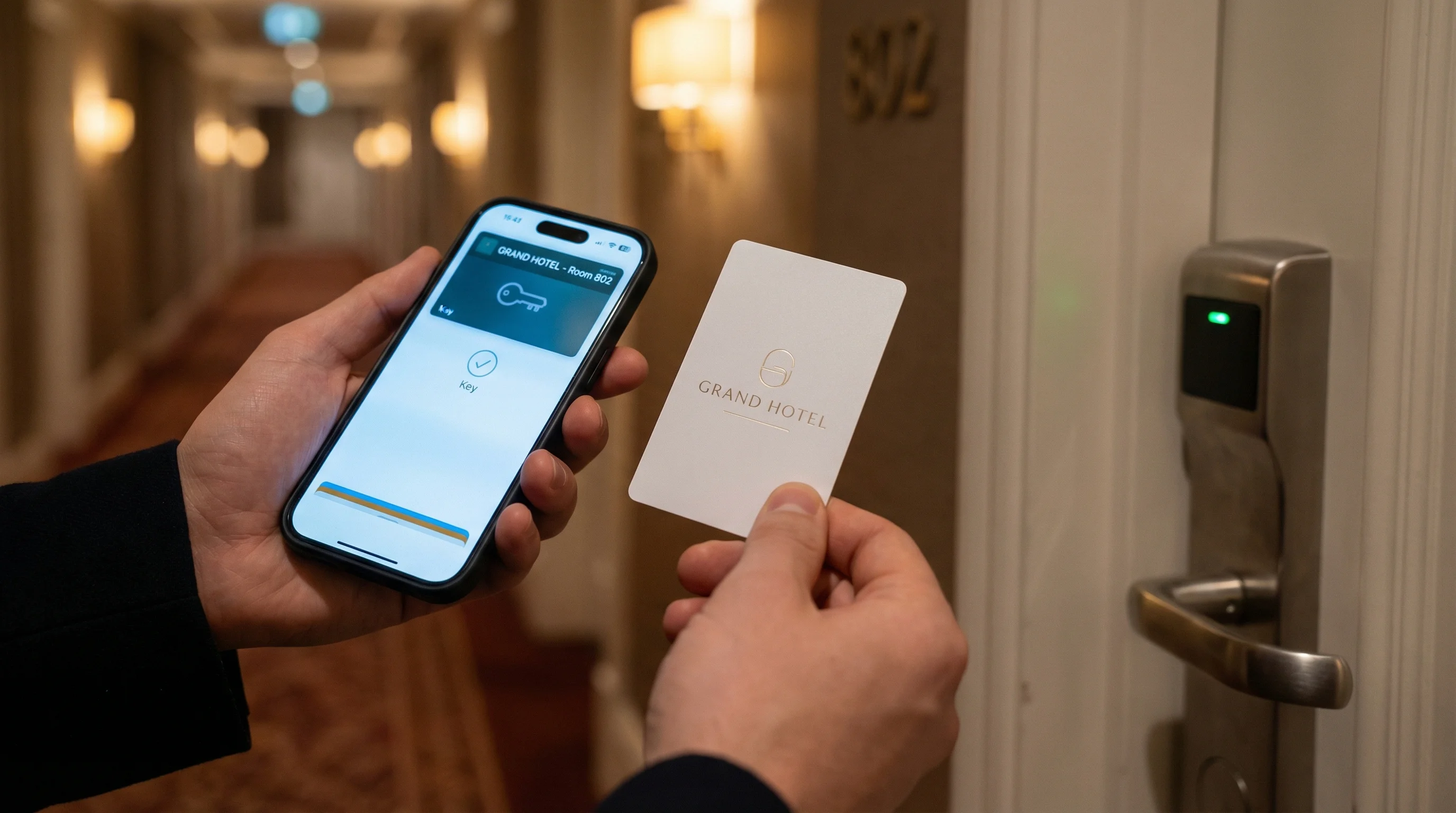
Mobile key via Apple Wallet alongside a physical RFID key card -- most hotels offer both for redundancy
| Factor | Physical RFID Key Card | Mobile Key (Apple/Google Wallet) |
|---|---|---|
| Works without phone battery | Yes | No (needs phone power) |
| Immune to demagnetization | Yes (RFID) | Yes |
| Requires lock upgrade | No | Yes (BLE-enabled locks required) |
| Guest adoption barrier | None | Requires app download or Wallet setup |
| Works if phone is lost | Yes | No |
| Shareable with travel companion | Issue duplicate at desk | Limited (some systems support sharing) |
| Connectivity dependency | None | Initial setup requires internet; BLE for door |
| Universal compatibility | Yes (if chip matches lock) | No (requires BLE locks + compatible phone) |
Mobile keys work best as a complement to physical cards, not a replacement. Most hotels that offer mobile key still issue physical RFID cards as the default and offer mobile key as an optional upgrade. The infrastructure cost to retrofit an entire property with BLE-enabled locks ranges from $150 to $400 per door, which limits adoption to new builds and major renovations.
How to Prevent Hotel Key Card Failures
Prevention is more effective than troubleshooting. These tips cover both sides of the front desk -- what guests can do to protect their cards, and what hotel operations teams can do to reduce failure rates across the property.
For Guests
- Keep the card in its paper sleeve. The 2-cent sleeve the hotel provides at check-in reduces magnetic exposure and prevents surface scratches.
- Store cards separately from your phone. Different pocket, different compartment in your bag. Especially important with MagSafe iPhones.
- Avoid wallets with magnetic clasps. Magnetic money clips and snap closures are the number one external demagnetizer -- worse than phones.
- Do not bend RFID cards. Unlike magstripe cards, RFID antenna damage is permanent. Avoid sitting on cards in back pockets.
- Request two cards at check-in. Store the backup in a separate location. If one fails, you still have room access.
- Ask about expiration on multi-night stays. Knowing your card resets every 48 hours lets you plan a quick re-encode before it becomes a midnight hallway problem.
- Never leave cards in hot cars. PVC warps above 55 degrees C, damaging both the magnetic stripe and RFID antenna bond.
- Request an RFID card if your hotel offers both types. RFID cards eliminate the entire demagnetization category of failures.
For Hotel Managers
- Clean encoder heads weekly. A single cleaning card run through the encoder eliminates the majority of preventable encoding failures. High-volume properties should clean twice weekly.
- Train staff on "duplicate" vs "new key." Selecting "new key" when issuing a second card silently cancels the guest's original -- one of the most common complaint drivers.
- Monitor lock batteries proactively. Modern lock management systems report battery levels remotely. Replace before critical.
- Retire magstripe cards after 7 re-encodes. Card stock that has been recycled too many times produces weak writes regardless of encoder condition.
- Upgrade to RFID or HiCo. HiCo magstripe cards are 9x more resistant to demagnetization. RFID cards eliminate it entirely. The upfront cost increase is offset by fewer replacements, fewer front desk re-encodes, and higher guest satisfaction scores.
- Provide key card sleeves at check-in. This single-cent investment reduces magnetic exposure complaints measurably.
- Set clear PMS rules for stay extensions. Ensure that extending a reservation does not silently invalidate existing key cards, or train staff to proactively re-encode when processing changes.
- Clean door lock readers quarterly. Outdoor-facing readers accumulate dust and grime that interferes with both magstripe reads and RFID signal strength.
Frequently Asked Questions
Why does my hotel key card keep demagnetizing?
If it keeps happening, the card may not be demagnetized at all. The most common repeat offenders are dirty encoder heads at the front desk producing weak writes every time, worn card stock that has been re-encoded too many times (magstripe cards degrade after approximately 7 re-encodes), or a property management system that silently invalidates cards when reservation details change. Ask the front desk to run a cleaning card through the encoder before re-encoding yours, and request a card from a fresh box.
How long do hotel key cards last?
Magnetic stripe hotel key cards can be reliably re-encoded approximately 7 times before the magnetic coating degrades. In practice, this means 2 to 4 months of active use in a high-volume property. RFID hotel key cards have no practical re-encoding limit -- the silicon chip supports thousands of write cycles -- and typically last 3 to 5 years before physical wear retires them. Premium materials like wood and metal extend the perceived lifespan further, since guests are less likely to damage a card they value.
Can I use my phone as a hotel key card?
Yes, if the hotel supports mobile key. You will need a compatible smartphone (iPhone XS or later for Apple Wallet, or an NFC-enabled Android for Google Wallet) and the hotel must have BLE-enabled door locks. Major chains including Hilton (Digital Key), Marriott (Mobile Key), and Hyatt offer mobile key at select properties. Adoption is growing but not universal -- as of 2026, fewer than 30% of hotel rooms globally support mobile key. Most hotels still issue a physical card alongside the digital credential.
What should I do if my key card does not work at night?
Most hotels staff the front desk 24 hours. Call from the hallway courtesy phone or your mobile. If the front desk is unstaffed (common at smaller properties after midnight), look for an emergency contact number posted near the lobby entrance or call the hotel's main line -- it typically routes to an on-call manager or security. Avoid trying to force the door, which can trigger a security lockout on the lock.
Can hotel key cards be recycled?
Standard PVC hotel key cards are technically recyclable but rarely accepted by municipal recycling programs because the embedded magnetic stripe or RFID inlay complicates processing. Hotels that want to reduce waste are switching to bio-based PVC alternatives, recycled PVC, or wooden hotel key cards made from FSC-certified wood that biodegrades naturally. Some manufacturers, including PrintPlast, offer take-back programs where used cards are collected and responsibly processed.
Do RFID hotel key cards have security risks?
RFID cards are significantly more secure than magstripe but not immune to all attacks. Older standard RFID chips have known cryptographic vulnerabilities in their legacy encryption that allow cloning with specialized equipment. Modern advanced encrypted RFID chips use AES-128 encryption that has no known practical attack vector. The bigger risk is social engineering at the front desk, not the card technology itself. For a full analysis, see our RFID vs magstripe security comparison.
Why does my key card work on some doors but not others?
Key cards are programmed with specific access zones. Your room key typically grants access to your floor elevator, the fitness center, the pool gate, and your room -- but not other guest rooms or restricted areas. If the card works at the elevator but not your room, the room lock likely has a dead battery or hardware fault. If it fails everywhere, the card itself needs re-encoding. If it works at your room but not the pool, your access level may not include that zone -- the front desk can add it.
Are wooden hotel key cards more reliable than plastic?
Wooden hotel key cards use the same RFID technology as standard plastic cards -- the wood is the card body, and a standard RFID inlay is embedded inside. Reliability of the RFID function is identical. Where wooden cards differ is durability: the rigid wood body provides better protection against bending (the primary cause of RFID antenna damage), but wood is more susceptible to moisture absorption over extended periods. For typical guest-stay durations of 1 to 7 nights, wooden key cards perform at least as well as plastic and offer a significantly more premium guest experience.
Reduce Key Card Complaints by Switching to RFID
PrintPlast manufactures RFID hotel key cards that eliminate demagnetization failures entirely. Available in recycled PVC, bio-based materials, and FSC-certified wood -- all compatible with major hotel lock systems. Custom-printed with your hotel branding, delivered worldwide.
About PrintPlast: PrintPlast is a manufacturer of RFID hotel key cards, wristbands, and access control products. We supply hotels, resorts, and hospitality groups across 40+ countries with custom-branded, eco-friendly room key solutions including wooden key cards, bio-PVC cards, recycled PVC cards, and NFC-enabled metal cards. Learn more at printplast.com.